
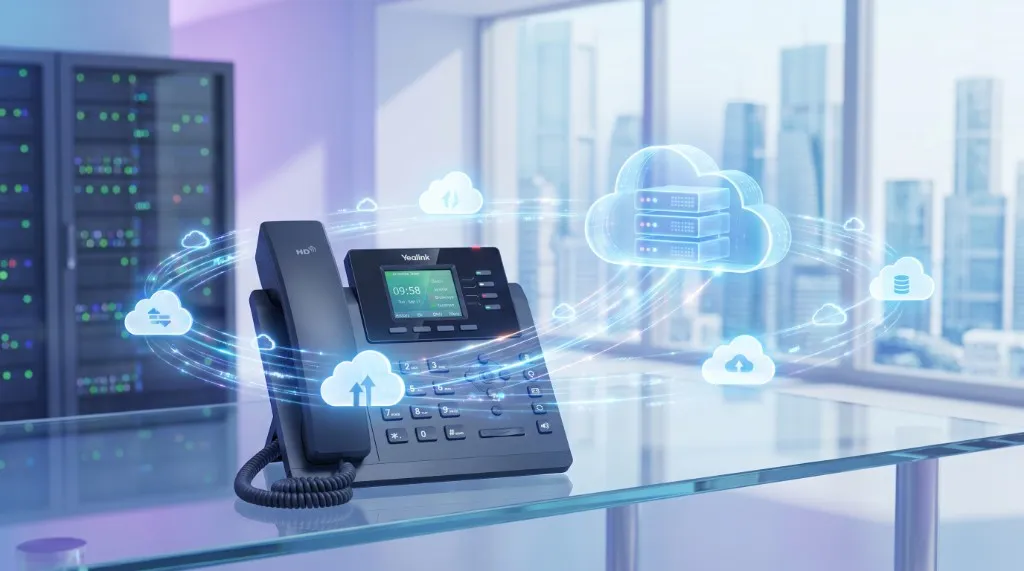
Yealink phone buying guide for South Africa
Yealink handset guide for SA: model families, phones by role, Yeastar provisioning, cordless and conference options, and practical FAQs from field deployments.
Quick answer
Last updated 2026-04-23
- Yealink handset guide for SA: model families, phones by role, Yeastar provisioning, cordless and conference options, and practical FAQs from field deployments.
- Yealink is our default IP handset brand for South African businesses. We started with Grandstream, moved to Yealink nearly ten years ago for build quality, audio, and design—and rarely look back.
- T3 series (entry): basic desk users, hot-desking—roughly R900–R1,400
Why we recommend Yealink
Yealink is our default IP handset brand for South African businesses. We started with Grandstream, moved to Yealink nearly ten years ago for build quality, audio, and design—and rarely look back.
Long model availability helps: you can expand or replace handsets without retraining staff every refresh cycle.
Model families at a glance
Indicative ex-VAT street ranges—confirm per model and stock.
- T3 series (entry): basic desk users, hot-desking—roughly R900–R1,400
- T4 series (mid): reception and general office—roughly R1,400–R2,200
- T5 series (executive): managers, premium audio—roughly R2,200–R3,500
- T7 series (newer premium): upgraded UI/audio over older T4/T5—similar bands to T5
- W-series cordless: warehouse, workshop, roaming reception—roughly R2,500–R4,500 per handset/base
- Conference: CP series for boardrooms—roughly R3,500–R12,000 depending on size
- DECT repeaters and multi-cell for larger cordless coverage—scoped per site
Handsets by role
Reception — T4/T5 with good speakerphone, headset port, and programmable keys for park/transfer. Color screens reduce training friction for busy desks.
General office — T3/T4 balances cost and clarity for staff with moderate call volume.
Executives and client-facing — T5/T7 for aesthetics, Bluetooth headset support, and better acoustic performance.
Warehouse / floor — W73/W74/W78 cordless with belt clips; plan DECT coverage and repeaters for large yards.
Conference rooms — CP series with USB/BT options for hybrid meetings; integrate as SIP endpoints on Yeastar.
Remote/hybrid — Softphone or USB headset on laptop; desk phone optional.
T7 vs legacy T4/T5
T7 is a strong upgrade path with modern UI and audio. T4 and T5 remain valid—Yealink keeps ranges available longer than many vendors, which protects existing estates.
If you have a working fleet, mix models only when Wi-Fi/power/POE budget allows—standardising per department simplifies support.
Provisioning with Yeastar
Yealink auto-provisioning via Yeastar RPS/redirect keeps rollout sane: ship handsets, power on, extensions appear with correct names and buttons.
Document MAC addresses, extension map, and VLAN/PoE switch ports before onsite day. Reception templates (BLF keys for park, transfer, DND) should be agreed with team leads.
Firmware: stay on supported versions—avoid random internet firmware that breaks provisioning.
See Yealink IP phones landing page and Yeastar phone systems for supply and configuration support.
- Use PoE switches with UPS for desk phones
- Separate voice VLAN where LAN policy allows
- Keep spare handset and patch cable for reception
- Test headset models you actually issue to staff
Reliability in the field
We return very few Yealink handsets. Clients still run eight-year-old phones daily—a good problem for refresh sales, a great problem for buyers who want stability.
Cordless W-series audio impresses for warehouse and roaming roles; plan base placement and interference checks.
Buying checklist
Count roles—not only people. Reception, cordless, and conference are different SKUs.
Confirm PoE budget, rack space, and UPS runtime for voice switches.
Match handset tier to call criticality; do not put entry phones on your busiest queue without testing.
- Reception and queue-heavy desks: mid/premium tier
- Back office: entry/mid tier
- Roaming staff: W-series or softphone
- Boardrooms: conference endpoints
- Spares: at least one known-good handset for swap testing
T3/T4/T5 feature differences (practical)
T3 entry models cover basic two-to-six line appearances, speakerphone, and PoE—fine for low-call-volume desks if you accept fewer programmable keys.
T4 midrange adds color screens, more BLF keys, better speakerphone, and faster UI—our default for reception and team leads.
T5/T7 executive tiers improve acoustics, Bluetooth headset paths, and aesthetics for partner offices and client-visible desks.
Do not over-spec every desk: match tier to call criticality and visitor visibility.
W-series cordless deployment
W73/W74/W78 target roaming staff in warehouses, workshops, and large reception footprints. Base stations and repeaters must be placed with a quick coverage walk—metal racking kills DECT optimism.
Handsets support belt clips and rugged use cases better than carrying a desk phone. Audio quality is strong for cordless—still plan interference checks near heavy machinery or thick concrete.
Integrate cordless as standard SIP extensions on Yeastar; no parallel phone system required.
- Base placement higher than clutter where possible
- Repeaters for long aisles or L-shaped buildings
- Dedicated extension per cordless user for CLI
- Charging cradles at shift change points
Conference room fit
CP series units vary by room size—small huddle vs boardroom. USB connectivity helps laptop-based Teams/Zoom hybrid meetings even though PBX remains SIP core.
Ceiling mics and expansion mics may be needed in long rooms—scope AV alongside IT before purchase.
Book rooms as resources on reception consoles where platform supports it; reduces double-booked dial-in chaos.
PoE, cabling, and LAN readiness
Desk phones are only as stable as the switch and cabling underneath. We specify PoE switches with known-good budget per port and UPS coverage for voice VLANs.
Cat5e is usually sufficient for gigabit PoE phones; document patch panel routes before reception day so faults are traceable.
If building IT restricts VLANs, engage them early—phones arriving before network approval is a common Sandton tower delay.
- PoE+ ports for color screens and conference units
- UPS sized for switch + ONT + router minimum
- Labelled patch leads at reception and server cabinet
- Spare ports for conference room expansion
Headsets, sidecars, and accessories
Reception and inside sales often need wired or wireless headsets—confirm RJ9/USB/BT compatibility per Yealink model before bulk purchase.
Expansion modules (sidecars) add BLF keys for park and pickup—worth it on busy desks, unnecessary for back-office users.
Wall-mount kits exist for workshop or security desks—factor into fit-out if desk space is tight.
Common buying mistakes
Buying premium phones for every user inflates capex without improving call quality on low-usage desks.
Skipping cordless coverage survey leads to dead zones in warehouses—walk the floor before ordering W-series bases.
Mixing too many firmware generations complicates provisioning—standardise per rollout wave.
Forgetting softphone licences for hybrid staff leaves them dialling from personal mobiles with wrong CLI presentation.
Refresh and expansion strategy
Because Yealink estates last years, plan refresh in waves: reception and client-facing first, back office later.
Keep a small spare pool (one reception-grade, one entry-grade) for swap testing—faster than waiting for courier RMA during a fault.
When expanding branches, clone provisioning templates from HQ to reduce config drift between sites.
Yealink vs alternatives (brief)
Grandstream can be cheaper upfront; we moved to Yealink for audio, build, and model longevity. Poly and Cisco may suit enterprises with existing estates—often higher capex for SMEs.
For Yeastar-led projects, Yealink provisioning integration is the path of least resistance—see our Yeastar P-Series review for platform pairing context.
Reception vs executive handset detail
Reception — Prioritise colour screen, 10+ BLF keys, quality speakerphone, RJ9 headset port, and optional EXP50 sidecar for park slots. Busy lamp fields reduce blind transfers—callers hear less hold music.
Executive — T5/T7 aesthetics matter in client-visible offices; Bluetooth headset pairing for mobile execs between desk and boardroom. Fewer BLF keys needed—simpler layout.
Back office — T3/T4 without sidecar keeps cost down; still use PoE and UPS path shared with reception switch.
Match handset cost to caller exposure, not job title alone.
Wi-Fi handsets vs DECT W-series
Yealink Wi-Fi handsets exist but in South African offices we default to DECT W-series for roaming voice. Wi-Fi shares airtime with laptops and CCTV; latency spikes during busy office hours.
DECT uses dedicated base-to-handset radio—better for warehouses, workshops, and large reception floors. Plan multi-cell deployments when one base cannot cover the footprint.
If building policy forbids DECT repeaters, fall back to Wi-Fi handsets with a dedicated SSID, QoS, and site survey—not consumer Wi-Fi shared with guests.
- DECT: preferred for roaming and floor staff
- Wi-Fi: acceptable on dedicated voice SSID with survey
- Softphone: better for hybrid than Wi-Fi desk phone in hot-desking
- Repeaters: scope for aisles longer than 30m with obstructions
Provisioning workflow step-by-step
1. Export extension plan with display names and DIDs. 2. Collect MAC addresses from purchase order or box labels. 3. Build auto-provisioning template in Yeastar with VLAN and TFTP/RPS redirect. 4. Stage one pilot phone at reception; validate BLF, transfer, and park. 5. Roll out department batches to limit support load. 6. Document spare handset MAC for swap testing.
For multi-site Gauteng rollouts, clone HQ template to Centurion or Midrand branch—adjust only BLF targets and local DIDs.
Never mix beta firmware on half the estate—standardise per wave.
Warranty, RMA, and support
Warranty terms vary by model and distributor—confirm before client-facing promises. Typical hardware warranty is 12–24 months on business models; accidental damage is excluded.
InspireTel handles RMA logistics for clients on support—swap spare from pool first, return faulty unit after. Keeping one reception-grade spare avoids two-day courier delays during a reception fault.
Support covers provisioning resets, registration failures, and button reprogramming—not physical damage from coffee spills. Extended hardware refresh planning is separate from warranty.
- Confirm distributor warranty per SKU in quote
- Keep serial numbers in asset register
- Spare handset pool: 1–2 units for critical desks
- Firmware updates via approved Yeastar/Yealink paths only
Frequently asked questions
Do Yealink phones only work with Yeastar?
No—Yealink is standard SIP. We pair with Yeastar because the combined provisioning story is smooth, not because of brand lock-in.
Can we reuse old phones on a new PBX?
Often yes if models are supported and firmware current. Audit before assuming.
Wi-Fi phones or DECT?
DECT W-series is usually more predictable for roaming voice than Wi-Fi handsets in busy offices.
Who configures the phones?
InspireTel supplies, provisions, and supports—reducing the chance of orphan devices on the LAN.
What warranty applies?
Verify current distributor warranty per model before publishing claims to end customers.
How many BLF keys does reception need?
Busy desks often need 10–20 appearances—consider T4/T5 plus EXP50 sidecar. Under-spec keys slow transfers and increase hold time.
Can executives use Bluetooth headsets?
Many T5/T7 models support BT headsets—confirm model compatibility before bulk headset purchase.
Should warehouse staff get DECT or mobile?
DECT W-series with belt clip beats asking staff to carry desk phones or use personal mobiles for business CLI.
Who handles firmware updates?
InspireTel manages approved firmware during provisioning and support windows—avoid ad hoc internet flashes that break auto-provision.
Related on InspireTel