
Is VoIP reliable during load shedding? SA business guide
Keep VoIP working during load shedding in SA: fibre ONT backup, PoE, UPS, LTE failover, Cloud PBX routing, mobile apps, and a continuity checklist.
Quick answer
Last updated 2026-04-21
- Keep VoIP working during load shedding in SA: fibre ONT backup, PoE, UPS, LTE failover, Cloud PBX routing, mobile apps, and a continuity checklist.
- A VoIP phone system depends on a few basic components:
- A working internet connection
What VoIP needs to work during load shedding
A VoIP phone system depends on a few basic components:
If these are in place, VoIP is often more resilient than many traditional office phone setups, especially because Cloud PBX services can route calls away from the office when needed.
For South African businesses, this matters during scheduled Eskom load shedding, unexpected stage changes, municipal power faults, cable issues, substation failures and longer unplanned outages.
- A working internet connection
- Power for your router and fibre ONT
- Power for your network switches
- Power for your desk phones, usually through a PoE switch
- A Cloud PBX or VoIP platform that can route calls if your office goes offline
- A backup plan, such as mobile apps or automatic call forwarding
Fibre is usually the best internet option for VoIP during load shedding
For many South African businesses, fibre is the most reliable primary internet option for VoIP during load shedding.
In many cases, fibre connections do not go down from the ISP side during scheduled load shedding, provided the fibre network operator’s equipment in your area remains powered and your own office equipment has backup power. That means your fibre line may still be live, but your business must keep the fibre ONT, router and switches running.
A common mistake is backing up only the phones while forgetting the fibre ONT or router. If the ONT or router switches off, your VoIP phones will not be able to reach the internet, even if the phones themselves still have power.
For businesses that rely heavily on voice calls, the fibre ONT should be treated as critical equipment. It is usually one of the first devices that should be connected to a UPS or inverter.
Wireless, LTE, 4G and 5G can be affected by load shedding
Mobile and wireless internet can be useful as a backup, but it is not always as predictable during load shedding.
4G and 5G connections may be affected when mobile towers lose power, run on limited backup or become congested as more people switch to mobile data during an outage. Wireless ISP links can also be affected if the tower or high site your antenna connects to is impacted by the power cut.
That does not mean wireless failover is a bad idea. LTE, 5G or fixed wireless can still be useful, especially where fibre is unavailable or where a second connection is needed for continuity. But businesses should understand that mobile and wireless links may behave differently from area to area.
For critical voice services, fibre with proper backup power is usually the stronger primary option, with mobile or wireless connectivity used as an additional failover path where appropriate.
Call quality during backup connectivity
VoIP needs more than a connection that is technically online. It also needs stable call quality.
During load shedding, backup internet links can be affected by:
If LTE or 5G is used as a backup for VoIP, it is worth testing call quality during real outage conditions, not only when the power is on and the network is quiet.
- Latency: Delay between speakers, which makes conversations feel unnatural
- Jitter: Variation in packet delivery, which can cause broken or uneven audio
- Packet loss: Missing voice packets, which can cause words to drop
- LTE congestion: Slower or less stable mobile data when many users are connected to the same tower
- Weak signal: Poor mobile or wireless signal at the office
- Overloaded backup links: Too many devices using the same connection for voice, video calls, cloud apps and downloads
Powering your VoIP phones during load shedding
Your VoIP phones need power. Many business VoIP phones are powered through PoE, which stands for Power over Ethernet. This means the phone receives power through the same network cable used for data.
If your phones use PoE, then your PoE switch must be connected to backup power. This is usually cleaner than trying to power each phone individually.
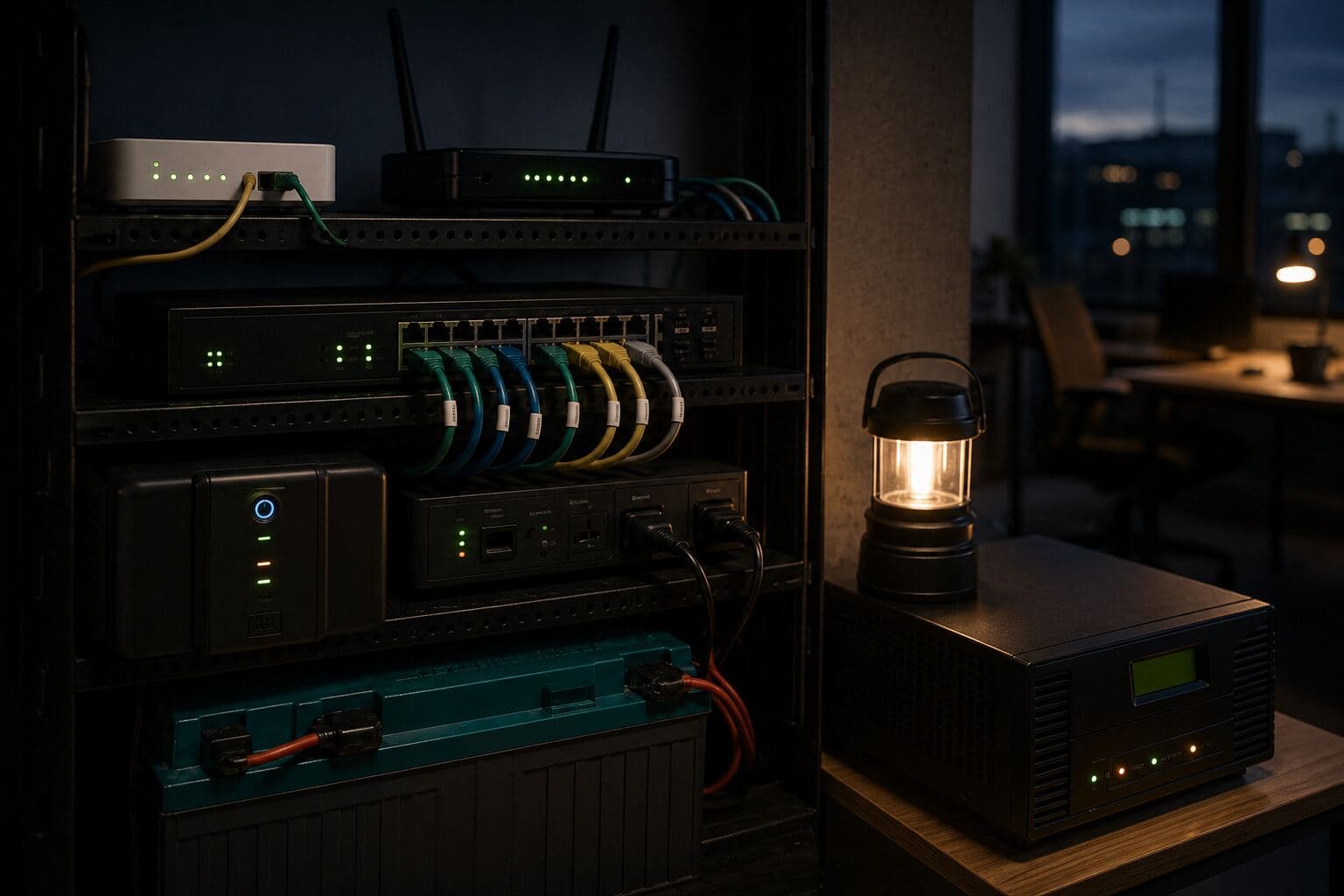
A practical load shedding setup normally includes backup power for:
If these devices stay on, your VoIP service can continue working during the outage.
- Fibre ONT
- Router or firewall
- Network switch
- PoE switch
- Wi-Fi access points, if staff use softphones or mobile devices on office Wi-Fi
- Any critical desktop phones or reception phones
The simple rule: internet plus power equals working VoIP
The rule for VoIP during load shedding is straightforward:
If you have working internet and your VoIP devices have power, your business phone system should keep working.
If either internet or power fails, you need a failover option. That is where Cloud PBX features become valuable.
How Cloud PBX helps when your office goes offline
A Cloud PBX is not physically dependent on your office power in the same way an old on-site PBX would be. If your office loses connectivity, the Cloud PBX can still handle call routing in the cloud.
This gives your business several practical options during an outage:
For many businesses, automatic call forwarding is one of the simplest and most useful protections. If the system detects that your phones are offline, inbound calls can be routed to a cellphone instead of simply failing.
This is especially useful for reception lines, sales numbers, support teams and any number that customers expect to reach during business hours.
- Automatically forward inbound calls to a mobile number
- Route calls to another branch or office
- Use a VoIP app on a mobile phone
- Let staff answer calls from home or another connected location
- Send calls to voicemail if nobody is available
- Apply different routing rules for after-hours or outage scenarios
Using a VoIP mobile app during load shedding
If your business uses a Cloud PBX, staff can often use a mobile app to make and receive calls.
This can be very useful during load shedding or office power failures. As long as the staff member’s mobile phone has battery and internet access, they may still be able to use the business number through the app.
A mobile VoIP app can help with:
Mobile apps are not a replacement for proper office backup power, but they are an important part of a practical VoIP continuity plan.
- Sales teams taking calls away from the office
- Managers staying reachable during outages
- Reception overflow during power cuts
- Staff working remotely when the office is offline
- Business continuity during extended outages
Recommended setup for a small office
A simple, practical VoIP continuity setup for a small South African office could include:
This type of setup does not need to be overcomplicated. The priority is to keep the essential voice path alive: internet, network equipment, phones and call routing.
- Fibre as the primary internet connection
- Backup power for the fibre ONT
- Backup power for the router or firewall
- A PoE switch connected to a UPS or inverter
- Reception and key desk phones powered through the PoE switch
- Wi-Fi backup for staff using laptops or mobile VoIP apps
- Cloud PBX failover rules for the main business number
- Automatic call forwarding to a cellphone if office phones go offline
- Mobile app access for key staff
- A tested LTE, 5G or wireless backup connection where appropriate
Load shedding versus longer power outages
In 2026, load shedding has not been the same constant problem for many businesses that it was in previous years. However, South African businesses are still dealing with power outages caused by faults, weather, lightning, cable issues, water damage, local infrastructure failures and other interruptions.
These outages can be more disruptive than scheduled load shedding because they are often unplanned and can last much longer. Eskom schedules may help businesses prepare for planned load shedding slots, but municipal faults and local infrastructure problems do not always come with reliable warning.
A short UPS may be enough for a scheduled slot, but it may not be enough for a full day without power.
The same VoIP rule still applies: keep the internet and phones powered, and have a routing plan if the office goes offline.
UPS backup is useful, but plan for longer outages
A basic UPS is a good starting point for VoIP backup power. It can keep essential equipment running through shorter interruptions, depending on the size of the UPS and the load connected to it.
However, many small UPS solutions are designed for shorter outages. For longer interruptions, businesses should consider a more complete power plan.
Options may include:
For outages longer than around half an hour, it is worth checking whether a basic UPS is enough for your specific equipment. The right answer depends on how many devices must stay online, how much power they draw, how healthy the batteries are and how long the business needs to keep operating.
- A larger UPS for network equipment
- An inverter with sufficient battery capacity
- Solar backup
- Generator backup
- Building-level backup power
- Separate backup for server rooms or network cabinets
What businesses should back up first
If you cannot back up the entire office, prioritise the equipment that keeps communication alive.
Start with:
1. Fibre ONT
2. Router or firewall
3. Main network switch
4. PoE switch for VoIP phones
5. Reception or main answering phone
6. Wi-Fi access point for mobile or laptop users
7. Any equipment needed for remote access or call handling
This approach keeps costs and complexity under control while protecting the most important part of the voice service.
When VoIP may not be reliable during load shedding
VoIP may become unreliable during load shedding if:
Most of these issues can be reduced with the right design before the outage happens.
- The fibre ONT has no backup power
- The router or firewall switches off
- The PoE switch loses power
- Desk phones are not powered
- The internet connection fails at the ISP or fibre network operator level
- The mobile network is congested or unavailable
- The wireless high site or LTE tower is affected by the outage
- There is no automatic call forwarding configured
- Staff do not have mobile app access as a backup
- The UPS battery is too small or no longer healthy
- Too many devices are connected to limited backup power
- Backup connectivity has not been tested under real conditions
A practical VoIP load shedding checklist
Before relying on VoIP during load shedding, check the following:
Testing is important. A backup plan that has never been tested may not work when your business needs it most.
- Is your primary internet connection fibre, wireless, LTE or 5G?
- Does your fibre ONT have backup power?
- Does your router or firewall have backup power?
- Are your VoIP phones powered by a PoE switch?
- Is the PoE switch connected to a UPS or inverter?
- Are Wi-Fi access points backed up for softphones and mobile users?
- How long can your backup power run under real load?
- Is the UPS battery still healthy?
- Do you have automatic call forwarding if the office goes offline?
- Can key staff use a mobile VoIP app?
- Have you tested call quality over LTE, 5G or wireless failover?
- Do you have a plan for outages longer than normal load shedding slots?
- Has your failover setup been tested during an actual outage or controlled power-down test?
FAQ: VoIP and load shedding in South Africa
So, is VoIP reliable during load shedding?
Yes, VoIP can be reliable during load shedding in South Africa if it is set up correctly.
The key is to keep your internet connection active, keep your network equipment and phones powered, and configure Cloud PBX failover options such as mobile apps and automatic call forwarding.
No phone system is completely immune to power and connectivity problems. But with fibre, suitable backup power, PoE switching, tested failover connectivity and sensible call routing, VoIP can be a dependable option for South African businesses during load shedding and unplanned power outages.
Where calls fail in the voice path
Load-shedding and municipal outages interrupt the full path between your users and customers—not only the Cloud PBX platform. Mapping each component helps you prioritise backup power and failover spend.
A resilient design is not one product. It is the combination of powered network equipment, working connectivity, configured routing, and staff process.
- Fibre ONT or fixed-wireless CPE without UPS
- Router or firewall rebooting mid-call
- PoE switch losing power to desk phones
- Wi-Fi access points offline while softphone users depend on office wireless
- On-premise PBX hardware without protected power
- LTE or 5G failover that was never tested with real voice calls
Questions to ask your VoIP provider
Before signing, ask practical continuity questions—not only feature lists. The answers should reference your sites, routers, and call flows.
If a provider cannot explain what happens when your office link drops, treat resilience as unfinished scope.
- Which premises equipment must stay powered for calls to work?
- What happens to inbound calls if fibre fails?
- Can calls fail over to mobile apps or another branch automatically?
- What UPS runtime is realistic for your ONT, router, and PoE switch?
- Who owns router, SIP, and Cloud PBX changes during an outage?
- How often should failover be tested?
How InspireTel helps businesses plan for VoIP continuity
InspireTel helps businesses think through the practical details that affect VoIP reliability during outages.
That includes checking how phones are powered, whether the router, fibre ONT and switches have backup power, how inbound calls should route if the office goes offline, whether mobile app access is needed for key staff, and whether Cloud PBX failover rules are configured correctly.
For many businesses, the best solution is not complicated. It is a properly planned combination of fibre, backup power, Cloud PBX call routing, mobile failover and regular testing.
If your business cannot afford missed calls during load shedding or municipal power faults, ask InspireTel to assess your VoIP backup, Cloud PBX failover and office phone continuity setup. A practical review can help identify where calls may fail and what should be backed up first.
See also
Related on InspireTel