
What is business VoIP, and how does it work in South Africa?
What business VoIP means in SA: how voice runs over IP, and why connectivity, power backup, porting, routing, failover, and support matter as much as the PBX.
Quick answer
Last updated 2026-04-21
- What business VoIP means in SA: how voice runs over IP, and why connectivity, power backup, porting, routing, failover, and support matter as much as the PBX.
- Business VoIP, short for Voice over Internet Protocol, is a phone service that carries voice calls as data over an IP network. Instead of relying only on analogue phone lines or older TDM services, your calls run through your office network, fibre connection, LTE backup, SIP trunk, and PBX platform.
- IP phones, softphones, or mobile apps: Staff make and receive calls from desk phones, laptops, smartphones, or browser-based clients.
The short definition
Business VoIP, short for Voice over Internet Protocol, is a phone service that carries voice calls as data over an IP network. Instead of relying only on analogue phone lines or older TDM services, your calls run through your office network, fibre connection, LTE backup, SIP trunk, and PBX platform.
For users, the experience is familiar: they still dial numbers, answer calls, transfer callers, place people on hold, and use voicemail. The difference is behind the scenes. Extensions, call routing, IVR menus, queues, voicemail-to-email, call recordings, and reports are managed in software rather than being hard-wired into a legacy phone system.
For a South African business, VoIP is not just a cheaper way to make calls. It is a way to make your voice environment easier to manage across offices, remote workers, contact centre users, and mobile teams — provided the connectivity, power backup, number porting, and support are planned properly.
How business VoIP works
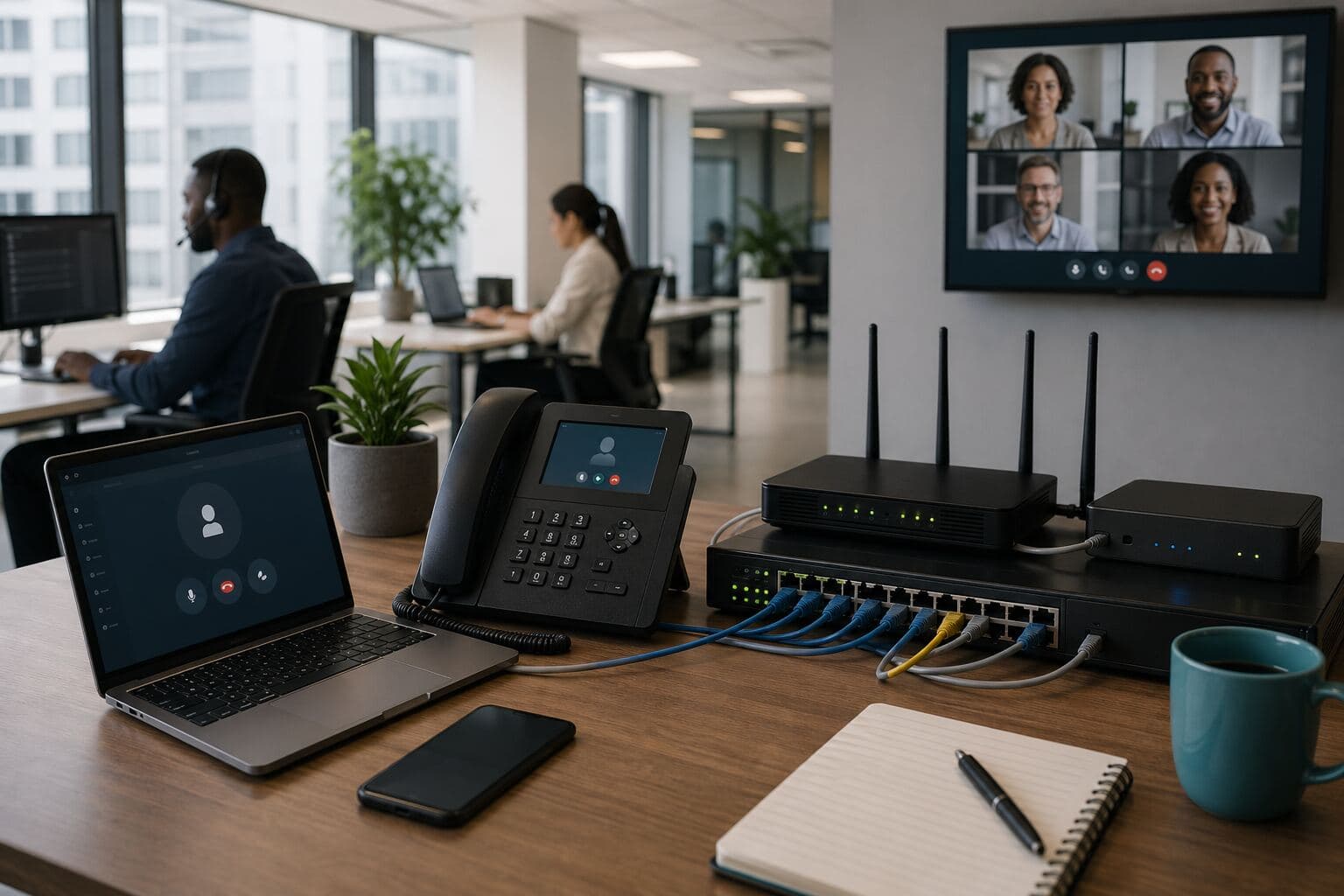
A typical business VoIP setup includes several connected parts:
In a Cloud PBX model, the PBX is hosted in the cloud rather than on a server at your premises. This can simplify branch rollouts and remote work because users connect to the same phone system from different locations. In an on-premises or hybrid model, more of the system sits at your site. The right choice depends on your connectivity, compliance needs, internal IT capacity, and resilience requirements.
If you are comparing a business VoIP provider in South Africa, make sure the discussion includes both the calling platform and the network conditions that will carry your calls.
- IP phones, softphones, or mobile apps: Staff make and receive calls from desk phones, laptops, smartphones, or browser-based clients.
- A PBX or Cloud PBX: The PBX controls extensions, call flows, ring groups, IVR menus, queues, voicemail, and reporting.
- SIP trunks: SIP trunks connect your PBX to the public telephone network so you can call mobile numbers, landlines, and other external numbers.
- Business connectivity: Fibre, wireless, or LTE carries the call traffic between your site, your provider, and the wider voice network.
- Routers, firewalls, and network rules: These devices prioritise and protect voice traffic so calls remain stable during normal business use.
- Power backup and failover: UPS units, backup links, and call forwarding rules help keep calls working during outages or site connectivity failures.
What changes in day-to-day work
When VoIP is designed well, staff spend less time working around the phone system. A receptionist can transfer calls to remote users. Sales teams can make business calls from approved apps without exposing personal mobile numbers. Managers can see missed calls and queue performance. Branches can share one call routing policy instead of operating as separate islands.
Common improvements include:
The practical benefit is control. Instead of asking, “Who has the old handset manual?” the business can ask, “How should calls flow, who should answer them, and what do we need to measure?”
- One system for multiple users and locations: Desk phones, softphones, cordless handsets, and mobile clients can work from the same PBX.
- More flexible call routing: Calls can route by department, time of day, overflow rules, or staff availability.
- Better visibility: Reporting can show call volumes, missed calls, answer times, queue performance, and user activity where configured.
- Easier moves and changes: Adding an extension or changing a call flow is usually configuration work, not cabling work.
- Support for hybrid work: Remote users can connect to the business phone system without being tied to one physical office.
- A cleaner migration path: Existing business numbers can often be ported through the regulated number porting process, where applicable.
South African realities you cannot ignore
VoIP quality depends on the network. In South Africa, that means your planning must account for load-shedding, fibre availability, wireless coverage, LTE performance, router quality, and the way staff use bandwidth during the day.
A VoIP system that works perfectly in a demo can perform poorly if:
A serious VoIP provider should ask about your sites, users, numbers, connectivity, router environment, power backup, and call volumes before recommending a platform. If the conversation starts and ends with a feature list, the risk is that you are buying a phone system without a delivery plan.
- The office router reboots during power dips.
- Voice traffic competes with backups, guest Wi-Fi, cloud storage sync, or video meetings.
- LTE failover is available but not sized for concurrent business calls.
- There is no UPS for the router, ONT, switches, and IP phones.
- The firewall is not configured properly for SIP traffic.
- Remote staff use unstable home connections without a fallback plan.
- Branches have different connectivity quality but the same call handling expectations.
VoIP, Cloud PBX, and SIP trunks: what is the difference?
These terms are often used together, but they are not the same thing.
VoIP is the technology that allows voice calls to travel over an IP data network.
A PBX is the phone system that manages extensions, call routing, voicemail, queues, IVR menus, and user permissions.
Cloud PBX means the PBX is hosted in the cloud instead of being installed as physical equipment at your office. Businesses searching for Cloud PBX South Africa solutions are usually looking for a centrally managed phone system that can support multiple users, branches, and remote teams.
SIP trunks are the voice connections that link your PBX to the public telephone network. They allow your business to call external numbers and receive calls on your business numbers. SIP trunking South Africa projects are often used to replace older voice services while keeping the PBX or moving to a new platform.
A business may use VoIP with an on-premises PBX, a Cloud PBX, or a hybrid setup. The best fit depends on the number of users, the number of sites, the level of internal IT support, uptime requirements, and how much control the business wants over equipment and configuration.
Cloud PBX vs on-prem PBX vs SIP trunks
| Option | What it is | Best suited to | Key planning points |
|---|---|---|---|
| Cloud PBX | A hosted phone system managed in the cloud | Multi-site teams, remote users, growing SMEs, and businesses that want simpler central management | Needs stable connectivity, power backup, user training, call flow design, and clear support processes |
| On-prem PBX | A PBX installed at your premises or data centre | Businesses with specific on-site control, legacy integrations, or internal IT capacity | Needs hardware maintenance, local resilience, SIP trunking, and lifecycle planning |
| SIP trunks | Voice channels that connect a PBX to the public telephone network | Businesses keeping an existing PBX or moving away from older voice lines | Needs number porting checks, firewall configuration, concurrent call sizing, and failover planning |
The right answer is not always one option only. Some South African businesses use a staged migration: SIP trunks first, then Cloud PBX later. Others move directly to Cloud PBX when their current PBX is ageing, difficult to support, or too limited for hybrid work.
Number porting in South Africa
Many businesses hesitate to move to VoIP because they do not want to lose existing phone numbers. In many cases, geographic and non-geographic numbers can be ported between providers, subject to the applicable porting rules, number type, account status, and provider processes.
Before starting a VoIP migration, prepare a number inventory:
Do not assume every number is safe to move without checking dependencies. Some numbers may be tied to services that need special handling. A good migration plan confirms what will be ported, what will be replaced, what must remain in place, and what fallback route will be used during cutover.
VoIP number porting should be treated as a project step, not an afterthought. Confirm the porting sequence, expected downtime window, temporary routing, and who will communicate with staff and customers if anything changes on cutover day.
- Main switchboard numbers
- Direct inward dialling numbers
- Fax-to-email numbers, if still used
- Department or branch numbers
- Numbers used in advertising, websites, signage, and email signatures
- Numbers linked to alarms, gates, card machines, lift phones, or other services
What affects VoIP call quality?
VoIP call quality is not only about internet speed. A fast line can still deliver poor calls if latency, packet loss, jitter, power stability, or router configuration is weak.
Key factors include:
For most businesses, the question should not be “Will VoIP work?” It should be “What must be in place for VoIP to work reliably for our users, sites, and call volumes?”
- Latency: The delay between speaking and hearing the other person.
- Jitter: Variation in packet arrival time, which can make audio sound uneven.
- Packet loss: Missing voice packets, often heard as drop-outs or broken audio.
- Contention: Too many services sharing the same connection without prioritisation.
- Codec choice: Different codecs use different bandwidth and handle network conditions differently.
- Quality of Service: Network rules that prioritise voice traffic over less urgent data.
- Power resilience: Routers, switches, fibre equipment, and phones need backup power during outages.
- Endpoint quality: Handsets, headsets, and softphone devices affect the user experience.
VoIP readiness checklist for South African businesses
Use this checklist before requesting a quote or approving a migration plan:
This checklist helps turn a broad VoIP conversation into a practical deployment plan.
- Numbers: Do you have a complete list of main numbers, DIDs, fax numbers, branch numbers, and published numbers?
- Users: How many people need desk phones, softphones, mobile apps, cordless handsets, or headsets?
- Concurrent calls: How many calls can happen at the same time during busy periods?
- Sites: Which offices, warehouses, branches, or remote users must be included?
- Connectivity: What fibre, wireless, or LTE services are available at each site?
- Failover: What happens if fibre fails, LTE performance drops, or a branch loses connectivity?
- Power backup: Are the ONT, router, switches, access points, cordless bases, and IP phones on UPS or backup power?
- Call flows: Who answers calls during business hours, after hours, holidays, overflow periods, and outages?
- Network equipment: Are the router and firewall suitable for SIP traffic and voice prioritisation?
- Analogue dependencies: Are alarms, gates, lift phones, card machines, or fax services linked to existing voice lines?
- Reporting: What call reports do managers need, and how will they be reviewed?
- Support: Who diagnoses issues when a user reports poor audio, dropped calls, or registration failures?
- Cutover: What is the migration sequence, and what is the rollback or fallback plan?
Questions to ask before choosing a VoIP provider
Before signing a VoIP or Cloud PBX proposal, ask practical questions that expose whether the provider understands your environment:
These questions help move the discussion from a generic phone package to a workable business voice design.
- Which numbers will be ported, and what is the porting process?
- What happens to inbound calls during a connectivity outage?
- Can calls fail over to mobile numbers, another branch, or an alternate SIP route?
- What router, firewall, or network changes are required?
- How many concurrent calls does the solution support?
- How will voice traffic be prioritised on the network?
- What handsets, headsets, or softphone options are supported?
- What reporting is included, and what needs additional configuration?
- Who supports the service when there is a call quality issue?
- How are users added, removed, and managed?
- What is the cutover plan from the current phone system?
- Are there any services, such as alarms or card machines, that should not be moved without further checks?
Why work with InspireTel on business VoIP planning?
A successful VoIP deployment needs more than a handset list. It needs a clear view of your numbers, users, sites, connectivity, power resilience, routing rules, and support expectations.
InspireTel can help South African businesses work through the practical parts of a VoIP move, including Cloud PBX planning, SIP trunks, VoIP number porting, business connectivity considerations, handset and softphone options, and cutover planning.
That matters because many VoIP issues are not caused by the phone system itself. They come from weak connectivity, poor failover, unsuitable routers, incomplete number inventories, or unclear call flows. A planned approach helps reduce those risks before users start relying on the new service.
Key components in a modern business VoIP stack
A practical VoIP deployment for an SME or multi-site business usually includes:
The best solution is not always the one with the longest feature list. It is the one that matches your call patterns, staff roles, connectivity, budget, and support expectations.
- A supported PBX or Cloud PBX platform for extensions, routing, queues, voicemail, and reporting.
- Managed SIP trunks for inbound and outbound calling.
- Business-grade connectivity with enough capacity and stability for voice traffic.
- Backup connectivity where uptime is important.
- Power protection for routers, fibre equipment, switches, cordless bases, and key handsets.
- Standards-based IP phones or softphones matched to user roles.
- Network configuration to manage SIP, NAT, firewall rules, and voice prioritisation.
- Documented call flows so support teams know how the system is meant to behave.
- Monitoring and support processes for registration, trunk status, and fault diagnosis.
- Optional integrations with Microsoft 365, CRM, helpdesk, or contact centre tools where call context is useful.
How to plan a VoIP migration
A successful migration starts with business requirements, not equipment.
Begin by mapping how calls work today:
Then define the future call flow. Decide how calls should route during business hours, after hours, public holidays, overflow periods, and outages. Confirm which numbers need to be ported and which services depend on those numbers. Test the connectivity and router environment before cutover.
This planning avoids the most common mistake: replacing the old phone system without improving the way calls are handled.
- Who answers the main number?
- Which departments receive the most calls?
- What happens when reception is busy?
- Which numbers are advertised publicly?
- Which users need desk phones, cordless phones, headsets, or mobile apps?
- Which branches or remote staff need to be included?
- What reports do managers need?
- What must keep working during load-shedding or fibre downtime?
When business VoIP is a good fit
VoIP is often a strong fit when a business:
VoIP may need extra design work if the business has weak connectivity, no power backup, specialised analogue devices, or complex legacy services. Those issues do not automatically rule out VoIP, but they should be identified before migration.
- Has multiple branches or remote staff.
- Wants centralised call routing and reporting.
- Needs more flexible call handling than a legacy PBX can provide.
- Wants to use SIP trunks instead of older voice services.
- Needs easier user changes as teams grow or move.
- Wants calls to fail over during site outages.
- Needs a clearer view of missed calls and call volumes.
FAQ: Business VoIP in South Africa
What to do next
If you are evaluating business VoIP in South Africa, start with a short discovery exercise. List your numbers, users, sites, current provider services, call volumes, connectivity, backup power, and any known pain points. Then define what a successful phone system must do: answer more calls, support remote users, simplify branches, reduce unnecessary complexity, or improve reporting.
From there, the platform decision becomes easier. You can compare Cloud PBX, SIP trunks, handsets, softphones, number porting, and support options against real requirements instead of a generic feature sheet.
Speak to InspireTel about Cloud PBX, SIP trunks, number porting, VoIP phones and softphones, or business connectivity planning. Contact InspireTel to discuss your current phone system, sites, numbers, and migration requirements.
A well-planned VoIP project should give your business a phone environment that is easier to manage, easier to support, and better aligned to how your teams actually work.