
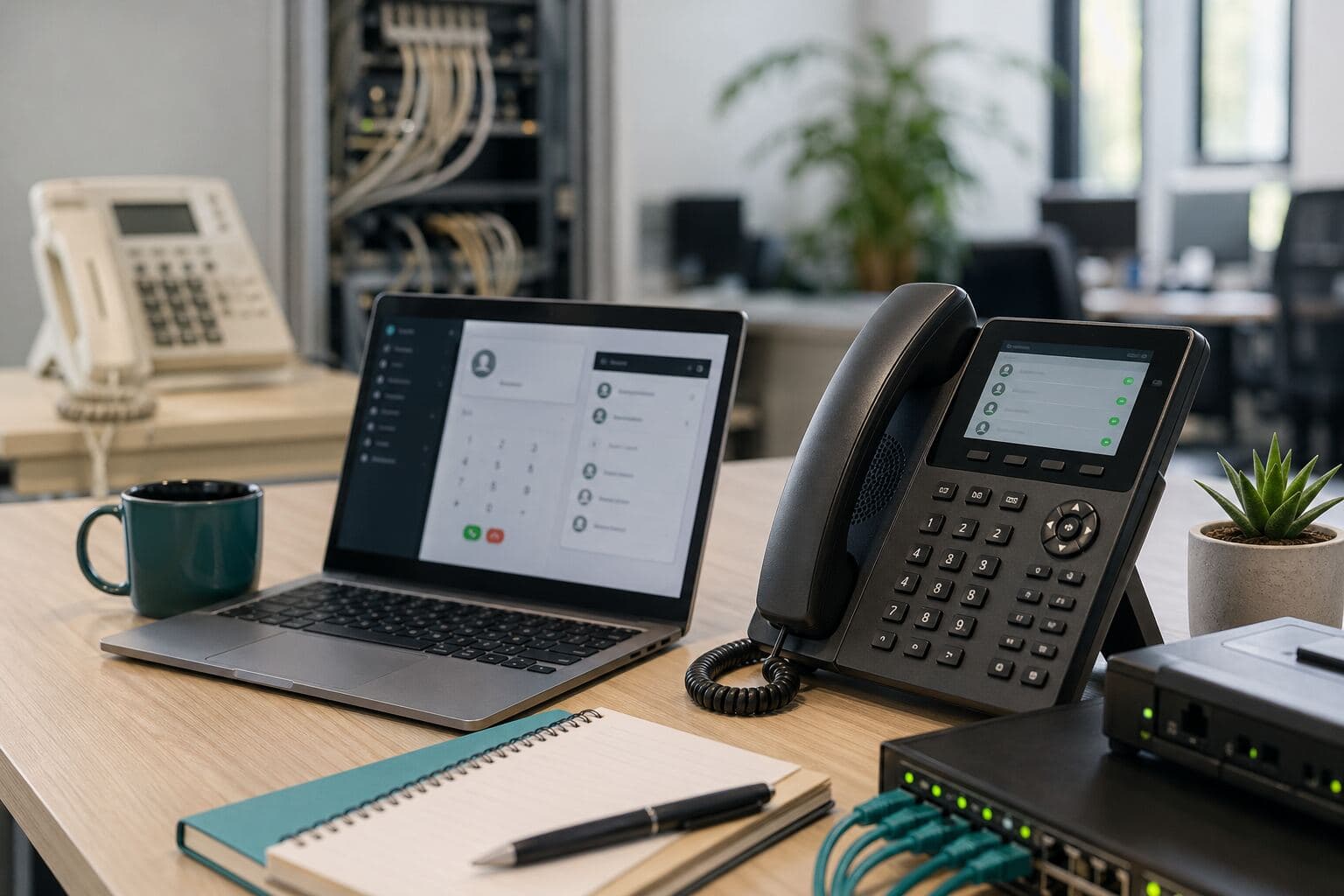
Why South African businesses are switching to VoIP and Cloud PBX
Why SA businesses switch to VoIP: cost control, flexibility, and better call handling—if you plan porting, connectivity, quality, training, failover, and support first.
Quick answer
Last updated 2026-03-10
- Why SA businesses switch to VoIP: cost control, flexibility, and better call handling—if you plan porting, connectivity, quality, training, failover, and support first.
- Lower call rates and reduced line rental are often the first reasons businesses look at VoIP, but cost is only part of the decision. For many South African companies, the bigger benefit is moving to a phone system that fits the way teams work now.
- Limited flexibility when staff work from home or across multiple branches
The operational case beyond “cheaper calls”
Lower call rates and reduced line rental are often the first reasons businesses look at VoIP, but cost is only part of the decision. For many South African companies, the bigger benefit is moving to a phone system that fits the way teams work now.
A modern VoIP or Cloud PBX setup can support office-based staff, remote users, mobile teams, branch locations, and customer-facing call flows without relying on an ageing on-site PBX. It also gives managers more visibility into call activity, missed calls, queue performance, and user availability.
That matters because business communication is no longer limited to one reception desk and one fixed office. Customers expect calls to be answered quickly, routed correctly, and followed up properly. VoIP makes that easier to manage when the system is designed around the business process, not just the phone hardware.
Why legacy phone systems are becoming harder to justify
Many older PBX environments were built for a different operating model. They often depend on fixed lines, on-site equipment, manual changes, and specialist support for simple tasks such as adding users or changing call routing.
As these systems age, businesses can run into practical issues:
VoIP does not automatically solve every communication problem, but it gives the business a more adaptable foundation. Changes that once required physical work on a PBX can often be handled through a cloud-based portal or by a support team without replacing hardware on site.
- Limited flexibility when staff work from home or across multiple branches
- Difficulty adding or removing extensions quickly
- Manual call forwarding that is hard to manage
- Poor reporting on missed calls and call volumes
- Higher maintenance effort for older PBX hardware
- Limited integration with CRM, helpdesk, or collaboration platforms
- Dependence on legacy connectivity that may no longer suit the business
- Weak failover options when the office has a power or connectivity problem
VoIP vs traditional PBX: what buyers should compare
When comparing VoIP vs traditional PBX, look beyond the phone on the desk. The real comparison is between a fixed, hardware-led system and a more flexible voice environment that can adapt as the business changes.
Key differences usually include:
For a business that only needs a very simple phone setup, the decision may be straightforward. For a business with sales teams, support teams, multiple sites, remote staff, or high inbound call volumes, Cloud PBX vs on-site PBX is usually a more strategic decision.
- Where the PBX sits: A traditional PBX is usually hosted on site, while Cloud PBX is hosted in the cloud.
- How changes are made: Legacy systems often need physical or specialist changes, while Cloud PBX changes can often be handled centrally.
- How users connect: Traditional PBX users are usually tied to the office, while VoIP can support desk phones, softphones, mobile apps, and remote extensions.
- How branches are managed: Cloud PBX can make it easier to centralise call flows across multiple sites.
- How failover works: VoIP can support alternative routing, mobile failover, or backup connectivity if planned correctly.
- How reporting works: Modern platforms can provide clearer visibility into call volumes, missed calls, and user activity.
VoIP features that matter in daily business operations
The value of VoIP is clearest when it improves everyday call handling. Useful features are not just “nice to have” extras; they can reduce missed calls, improve customer experience, and help teams manage work more consistently.
Common VoIP and Cloud PBX features include:
The best feature set depends on the business. A small professional services firm may care most about number porting, voicemail-to-email, and mobile access. A sales or support team may need queues, call recording, dashboards, and reporting. A multi-branch operation may focus on centralised routing, failover, and easier extension management.
- IVR menus: Route callers to sales, support, accounts, or branches without relying on one person to transfer every call.
- Call queues: Hold and distribute incoming calls to the right team, with better visibility into unanswered calls.
- Time-based routing: Send calls to different destinations during office hours, after hours, weekends, or public holidays.
- Voicemail-to-email: Deliver voicemail messages to the right inbox so they are easier to track and action.
- Call recording: Support quality checks, dispute resolution, or training where appropriate for the business.
- Remote extensions: Allow users to make and receive business calls from different locations.
- Softphones and mobile apps: Help staff use business numbers without relying only on desk phones.
- Reporting: Give managers a clearer view of call volumes, missed calls, peak periods, and user activity.
- Integration options: Connect voice services with tools such as Microsoft Teams, CRM platforms, or helpdesk systems where relevant.
Call recording, privacy, and POPIA considerations
Call recording can be useful, but it must be handled carefully. South African businesses should consider privacy, consent, notification, access control, retention periods, and internal policies before enabling call recording.
Important points to review include:
POPIA does not mean businesses cannot record calls. It means call recording should be justified, controlled, and communicated appropriately. If your business operates in a regulated sector or records sensitive customer information, get appropriate legal or compliance guidance before relying on recordings for operational use.
- Whether callers and staff need to be notified that calls may be recorded
- Whether consent is required for the specific use case
- Who can access recordings
- How long recordings should be stored
- How recordings are protected from unauthorised access
- Whether recordings include personal information under POPIA
- Whether the business needs legal or compliance advice for its industry
Cloud PBX versus on-site PBX: what changes?
With a traditional PBX, the phone system is usually hosted on equipment at the business premises. With Cloud PBX, the core phone system is hosted in the cloud and accessed over an internet connection.
For many businesses, Cloud PBX reduces the need to maintain PBX hardware on site and makes it easier to support hybrid teams or multiple locations. It can also simplify moves, adds, and changes because users and call flows are managed centrally.
That said, Cloud PBX still needs proper planning. Call quality depends on stable connectivity, enough bandwidth, correct network configuration, and suitable handsets or softphones. A weak internet connection or poorly configured internal network can create issues such as jitter, dropped calls, delays, or inconsistent audio.
A good VoIP migration should therefore review both the phone system and the network that will carry the calls.
Connectivity is central to VoIP call quality
VoIP runs over data networks, so connectivity is not a side issue. It is one of the most important parts of the decision.
Before switching, businesses should consider:
For companies that rely heavily on inbound calls, a backup plan is important. This may include failover internet, routing calls to mobile numbers during an outage, or using a Cloud PBX configuration that can redirect calls if a site goes offline.
The goal is not only to make calls work on a normal day. The goal is to keep the business reachable when conditions are less than ideal.
If you are unsure whether your current fibre, wireless, LTE, or office network is ready for VoIP, ask InspireTel for a VoIP readiness assessment before you migrate. A short review of connectivity, routers, call volumes, and failover needs can prevent bigger problems later.
- What primary internet connection will carry voice traffic
- Whether fibre, fixed wireless, LTE, or another service is suitable for the site
- Whether voice traffic can be prioritised on the network
- Whether the router and firewall are correctly configured for VoIP
- Whether the business needs failover connectivity
- How remote users will connect and what support they will need
- Whether call quality should be tested before full migration
- How load shedding, local power backup, and router uptime will affect voice services
Number porting: keep your business numbers, plan the process
One of the biggest concerns when moving to VoIP is whether the business can keep its existing telephone numbers. In many cases, number porting allows a company to move numbers from one provider to another, but the process must be managed carefully.
Before porting, confirm:
Porting should not be treated as an admin afterthought. If phone numbers are printed on signage, vehicles, websites, adverts, invoices, or customer records, a failed or delayed port can disrupt the business. Planning the porting sequence helps reduce risk.
- Which numbers are active and still required
- Which numbers are geographic numbers, non-geographic numbers, or special service numbers
- Which numbers are linked to alarm systems, fax services, payment terminals, intercoms, or other services
- Who owns or controls the numbers on the current account
- Whether account details match the porting documentation
- What the expected porting process and downtime risk may be
- What temporary routing or fallback plan is available if needed
Cost decisions: look beyond call rates only
VoIP can help reduce telecom spend, but buyers should compare the full cost of the communication setup rather than focusing only on per-minute pricing.
Key cost areas to review include:
A cheaper call rate is useful, but it may not help if the platform lacks the routing, reporting, or support the business needs. The better question is: what will the total voice environment cost, and will it improve how the business handles calls?
For a practical comparison, request a Cloud PBX quote that includes users, numbers, call routing, handsets or softphones, porting requirements, support, and any connectivity changes. This gives you a clearer view than comparing headline call rates alone.
- Monthly user or extension fees
- Call rates to local, national, mobile, and international destinations
- Number hosting or DID costs
- Handset, headset, or softphone requirements
- Cloud PBX features included or charged separately
- Support, configuration, and change request costs
- Connectivity upgrades or failover services
- Power backup for routers, switches, and handsets where required
- Call recording storage or compliance-related requirements
- Contract terms and cancellation conditions
Before you switch: a simple VoIP migration checklist
Use this checklist before moving from a legacy PBX to VoIP or Cloud PBX:
This checklist does not need to be complicated. It simply ensures that the migration covers numbers, users, connectivity, compliance, support, and business continuity before the cutover date.
- List all current telephone numbers and decide which ones must be ported
- Confirm number ownership and current provider account details
- Map current call flows, IVR options, hunt groups, queues, and after-hours routing
- Identify users, departments, branches, and remote workers
- Review fibre, fixed wireless, LTE, router, firewall, and Wi-Fi readiness
- Decide whether the business needs mobile failover or backup internet
- Check whether analogue devices such as alarms, fax lines, intercoms, or payment terminals need special handling
- Decide which users need desk phones, headsets, softphones, or mobile apps
- Review call recording requirements, POPIA considerations, and access controls
- Test call quality before the full go-live where possible
- Train reception, sales, support, and management users before cutover
- Agree who supports handsets, apps, routing changes, and troubleshooting after launch
When moving to VoIP makes the most sense
A VoIP or Cloud PBX migration is usually worth considering when the business is:
It is also worth reviewing the phone environment before the business is forced into a rushed change. Moving under pressure often leads to shortcuts around porting, testing, training, and user adoption.
- Opening new branches or changing office locations
- Supporting hybrid or remote staff
- Struggling with missed calls or poor call routing
- Paying for legacy lines that no longer match usage
- Using an old PBX that is expensive or difficult to maintain
- Needing better call reporting and management visibility
- Looking to centralise communications across multiple sites
- Planning to integrate voice with CRM, support, or collaboration tools
- Reviewing business continuity plans for outages, load shedding, or site downtime
Common migration mistakes to avoid
A VoIP migration does not need to be disruptive, but poor planning can create avoidable problems. The most common mistakes include:
The best migrations start with a simple audit: current numbers, users, devices, call flows, connectivity, costs, and pain points. From there, the business can design a VoIP setup that supports how calls should work, not just how they used to work.
- Moving numbers without confirming ownership and account details
- Assuming any internet connection is good enough for business voice
- Failing to test call quality before going live
- Recreating old PBX call flows without improving them
- Not training reception, sales, or support users properly
- Ignoring after-hours routing and public holiday rules
- Forgetting about fax, alarms, intercoms, payment terminals, or other analogue services
- Enabling call recording without reviewing privacy, consent, notification, and access control
- Choosing a provider based only on headline pricing
- Not defining who supports handsets, routers, apps, and user changes
- Forgetting to plan what happens if fibre, power, or the office network goes down
Questions to ask before choosing a VoIP provider
South African business buyers should ask practical questions before committing to a VoIP or Cloud PBX provider:
Clear answers to these questions will help separate a workable business voice solution from a basic VoIP account that may not support operational needs.
- Can we port our existing numbers, and what information is required?
- Can you check whether our numbers are eligible for porting before we commit?
- What happens to inbound calls if our office internet goes down?
- What happens if load shedding affects the router, switch, or handset power?
- What connectivity do you recommend for our call volume?
- Are call queues, IVR, voicemail-to-email, and reporting included?
- Can remote staff use the system securely and reliably?
- What handsets, headsets, or softphone options are supported?
- How are support requests handled after installation?
- Can call flows be changed as the business grows?
- How should we handle call recording, privacy notices, and recording access?
- What costs are once-off, monthly, or usage-based?
- What must we prepare before the migration date?
FAQ: switching to VoIP in South Africa
Can I keep my number when switching to VoIP in South Africa?
In many cases, yes. Number porting may allow your business to move existing numbers to a new VoIP provider, but eligibility, account details, ownership, and documentation must be checked first. Do not cancel existing services before confirming the porting process and fallback plan.
Does VoIP work during internet outages?
VoIP needs a working data connection to make and receive calls at the affected site. If the office internet is down, calls may fail unless failover has been planned. Options can include backup fibre, fixed wireless, LTE, mobile failover, or Cloud PBX routing that sends calls to mobile numbers or another branch.
Does VoIP work during load shedding?
VoIP can work during load shedding if the required equipment stays powered and connectivity remains available. The router, firewall, switches, Wi-Fi access points, and desk phones may need UPS or backup power. Softphones on laptops or mobiles can also help, depending on connectivity.
Is Cloud PBX better than an on-site PBX?
Cloud PBX is often a better fit for businesses that need remote work, multiple branches, easier changes, centralised routing, and reduced on-site PBX maintenance. An on-site PBX may still suit some environments, but buyers should compare total cost, support, flexibility, failover, and future growth before deciding.
Do I need fibre for VoIP?
Fibre is often a strong option for business VoIP, but it is not the only option. The right connection depends on call volume, site location, stability, latency, upload capacity, and failover requirements. Some businesses may use fibre as primary connectivity and LTE or fixed wireless as backup.
Is call recording allowed for business VoIP?
Call recording may be used by businesses, but it should be managed carefully. Consider POPIA, consent or notification, access control, retention periods, and the purpose of the recording. If recordings contain personal or sensitive information, get appropriate compliance advice.
The bottom line
South African businesses keep moving to VoIP because it gives them more control over cost, call routing, remote work, scalability, and day-to-day communication management. The strongest business case is not simply “cheaper calls”. It is a phone system that is easier to manage, easier to adapt, and better aligned with modern business operations.
The key is to plan the migration properly. Review your current numbers, connectivity, call flows, users, failover needs, call recording requirements, and support expectations before switching. With the right Cloud PBX design and a stable network behind it, VoIP can become a practical upgrade rather than a risky telecom change.
If your business is comparing VoIP vs traditional PBX or planning a Cloud PBX migration, InspireTel can help you review your readiness, check number-porting requirements, and prepare a practical Cloud PBX quote.